Your numbers
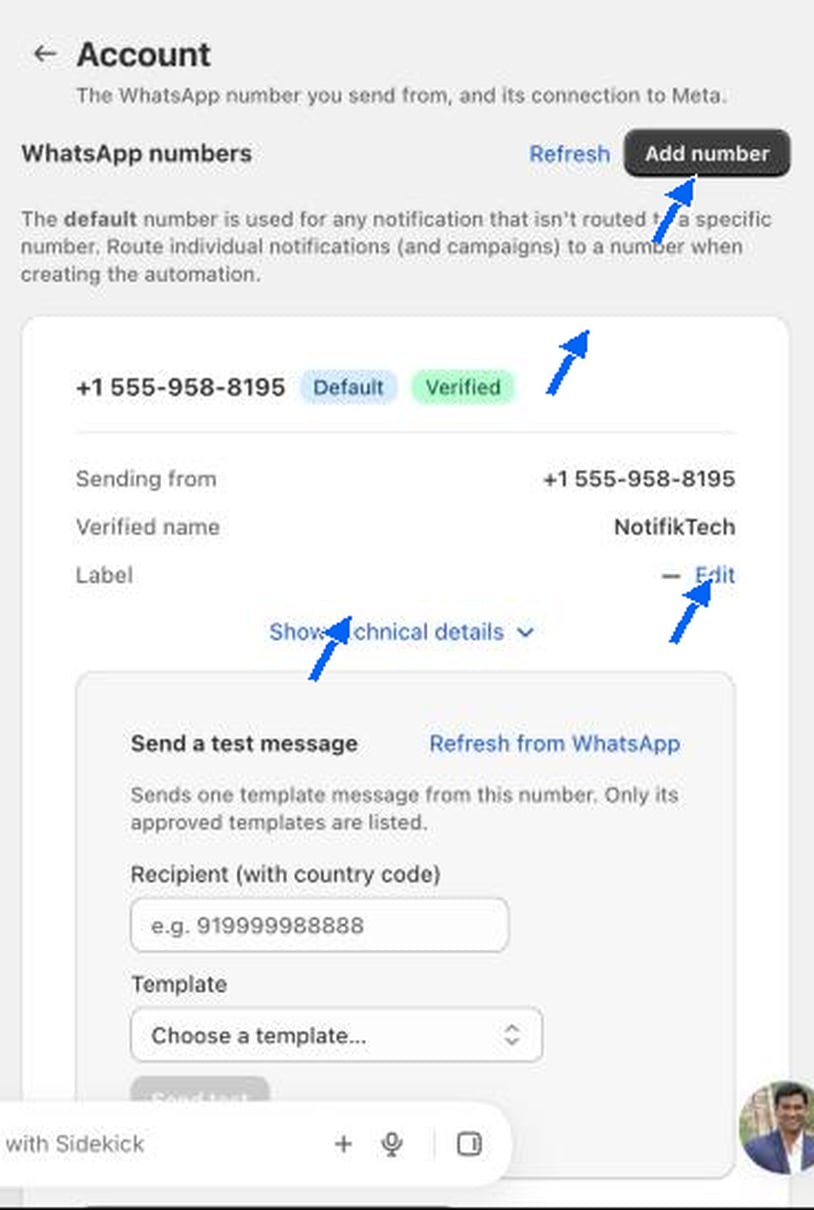
The page is headed “WhatsApp numbers”. The default number is used for any notification that is not routed to a specific number. To send a notification or a campaign from a different number, choose that number when you create the automation.Send a test message
1
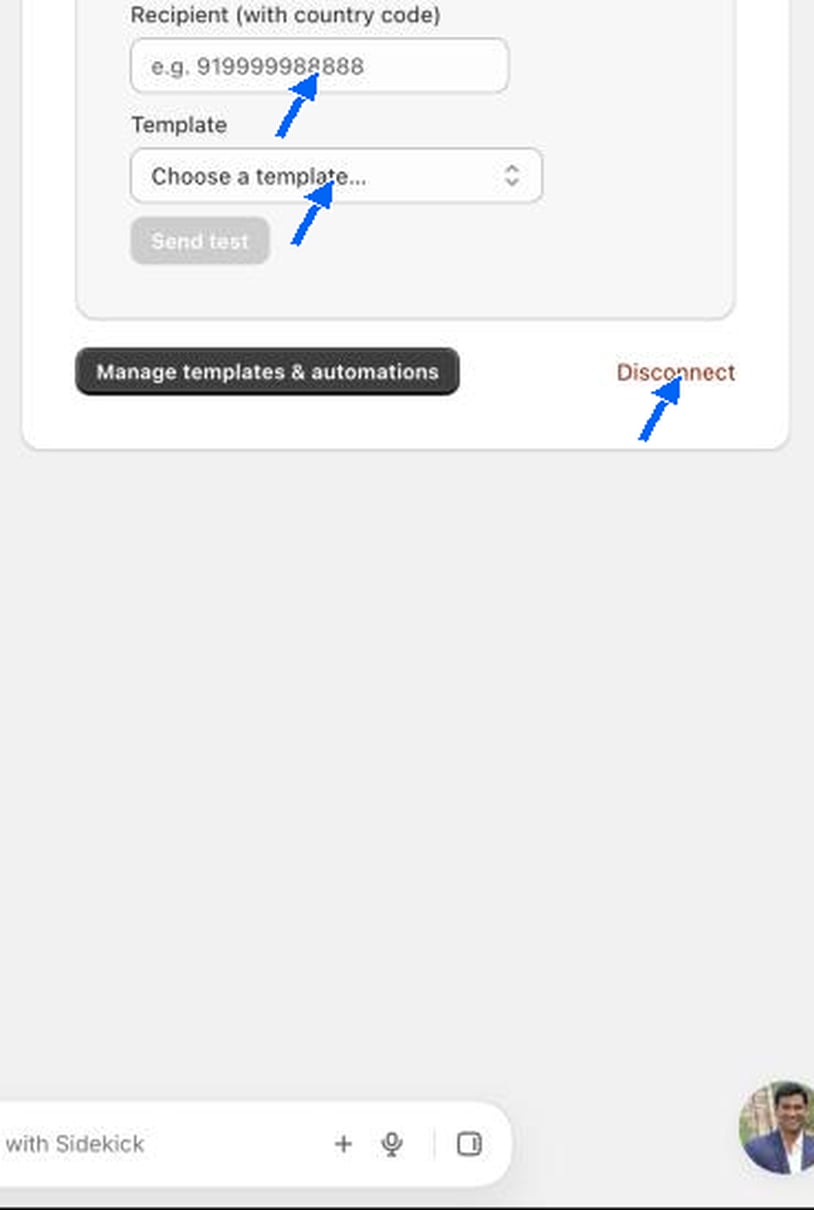
Enter the recipient
Type the full number with the country code and no plus sign, for example
919999988888.2
Choose a template
Pick an approved template from the drop-down. Click Refresh from WhatsApp if a template you just approved is missing.
3
Click Send test
The message goes to that number straight away.
Manage templates and disconnect
Manage templates & automations opens the Templates page. Disconnect removes the number from COD King. Do not use it on a live store unless you plan to connect a number again.Not connected yet, or waiting on Meta? See Meta and WhatsApp approval for what Meta checks and how long it takes.
Messages go out from your own number, so Meta’s WhatsApp Business rules apply to it. Customers must be able to reply STOP, which the pre-made templates include.