
Store knowledge
The AI answers store questions only from the text in the Knowledge tab. Orders, products and carts are read live from Shopify, so you do not need to add them here.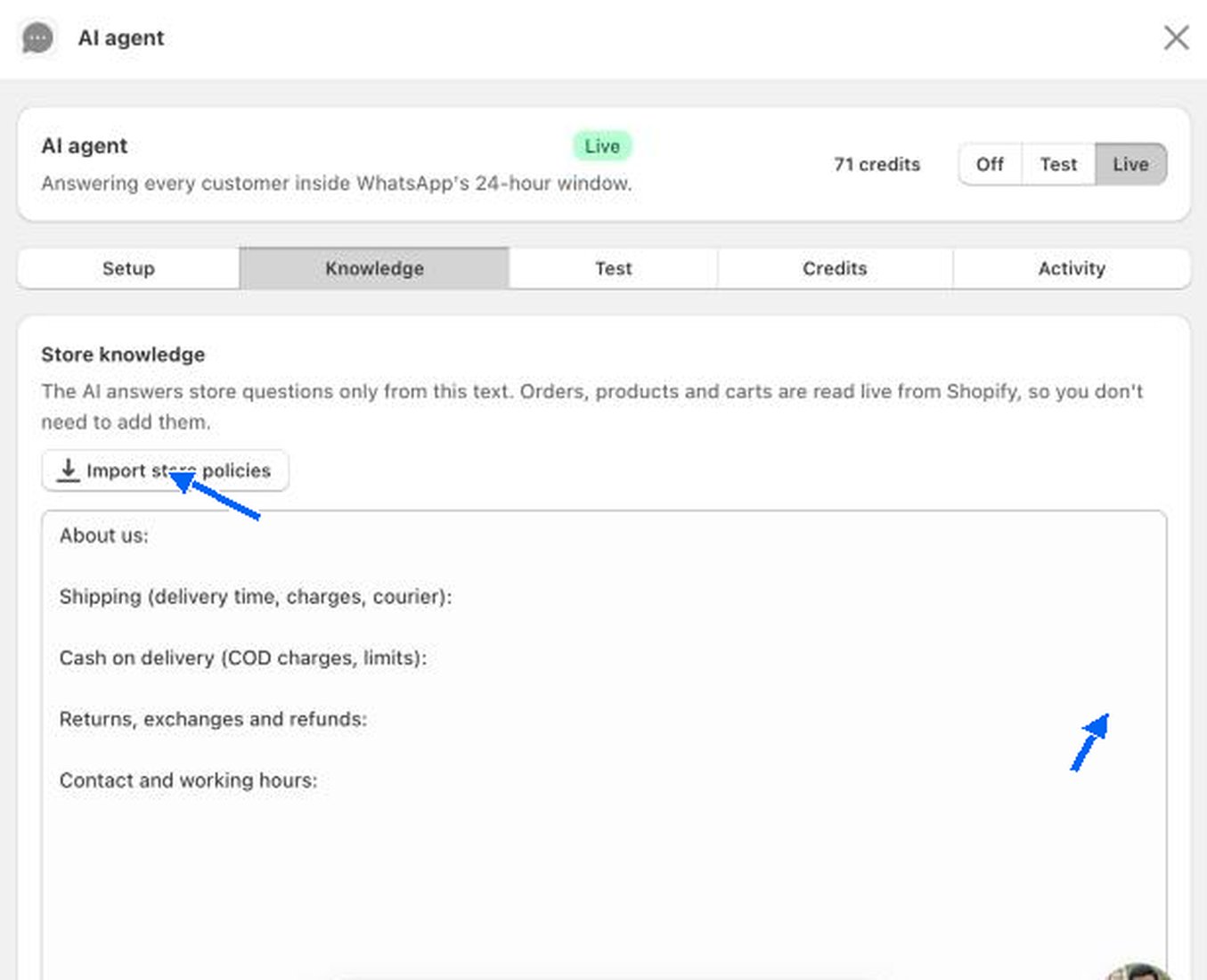
- Import store policies brings in your store’s policies as a starting point.
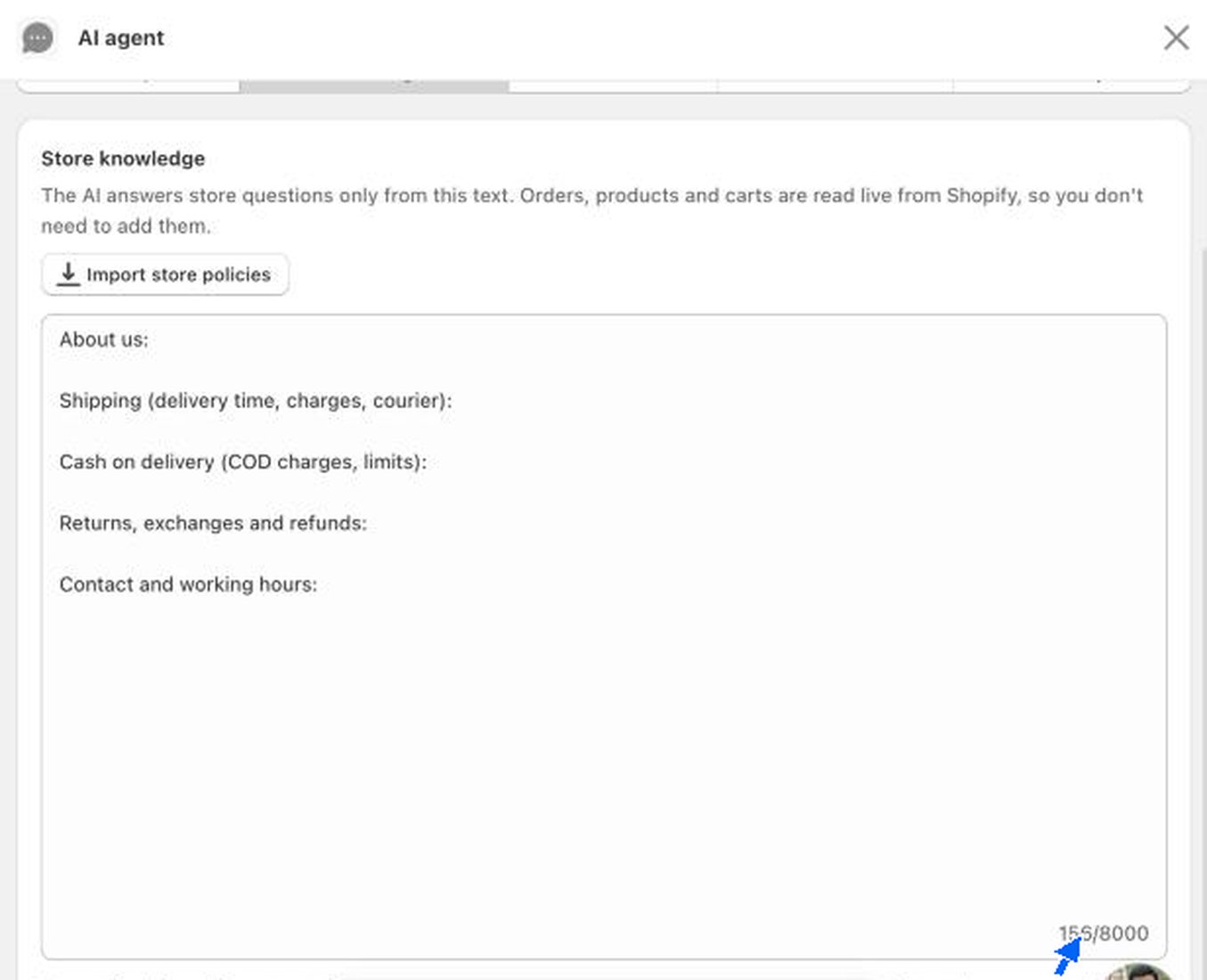
- The text box starts with headings for About us, Shipping (delivery time, charges, courier), Cash on delivery (COD charges, limits), Returns, exchanges and refunds and Contact and working hours. Write your answer under each one.
Test the AI for free
The Test tab lets you chat with the AI as if you were a customer.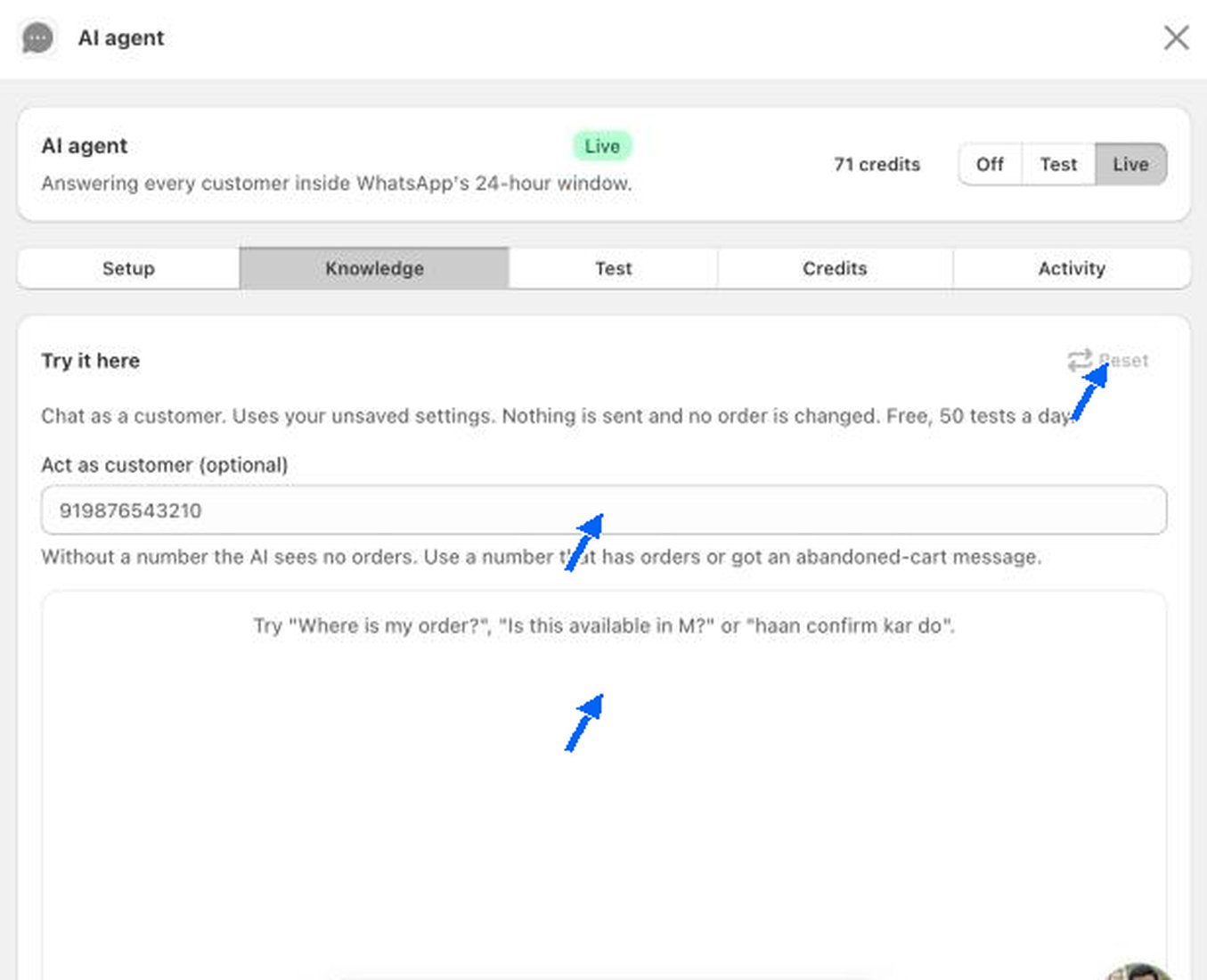
- It uses your current settings, even ones you have not saved.
- Nothing is sent to a real customer and no order is changed.
- Testing is free, up to 50 tests a day.
- Act as customer (optional). Enter a phone number to test as that customer. Without a number, the AI sees no orders. Use a number that has orders, or that received an abandoned cart message.
- Reset clears the test chat.
1
Add your store knowledge
Fill in the Knowledge tab first, so the AI has real answers.
2
Test the common questions
Ask about an order, a product, shipping and COD charges. Check each answer is right.
3
Test a handover
Ask for a refund or to speak to a person. The AI should pass it to your team.
4
Go live
Switch the header to Live when you are happy with the answers.
Credits
The AI agent runs on credits. 1 credit is 1 message the AI writes, which can be a reply, a handover message or a draft. Testing is free and credits never expire.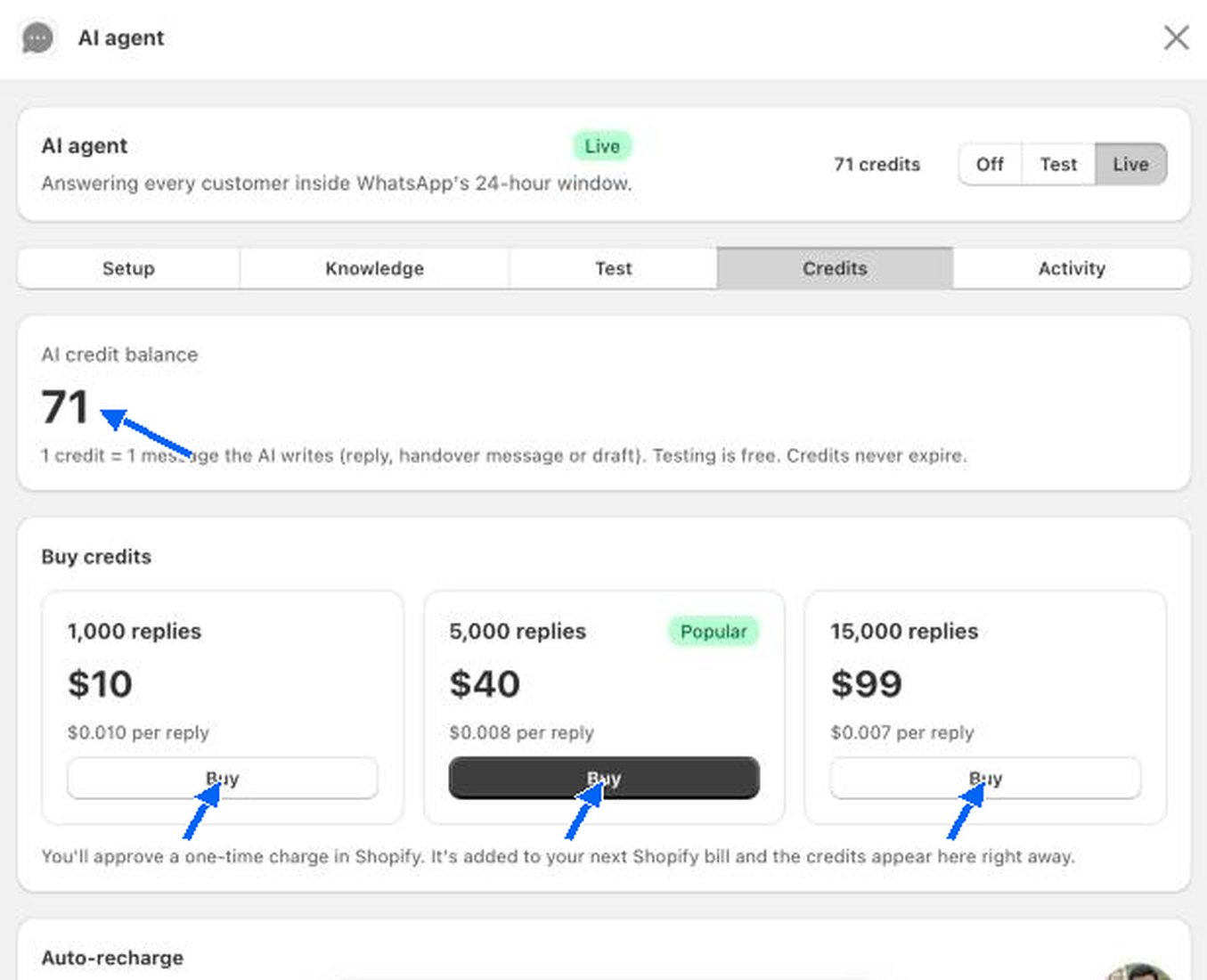
Click Buy on a pack. You approve a one-time charge in Shopify. It is added to your next Shopify bill and the credits appear in the tab right away.
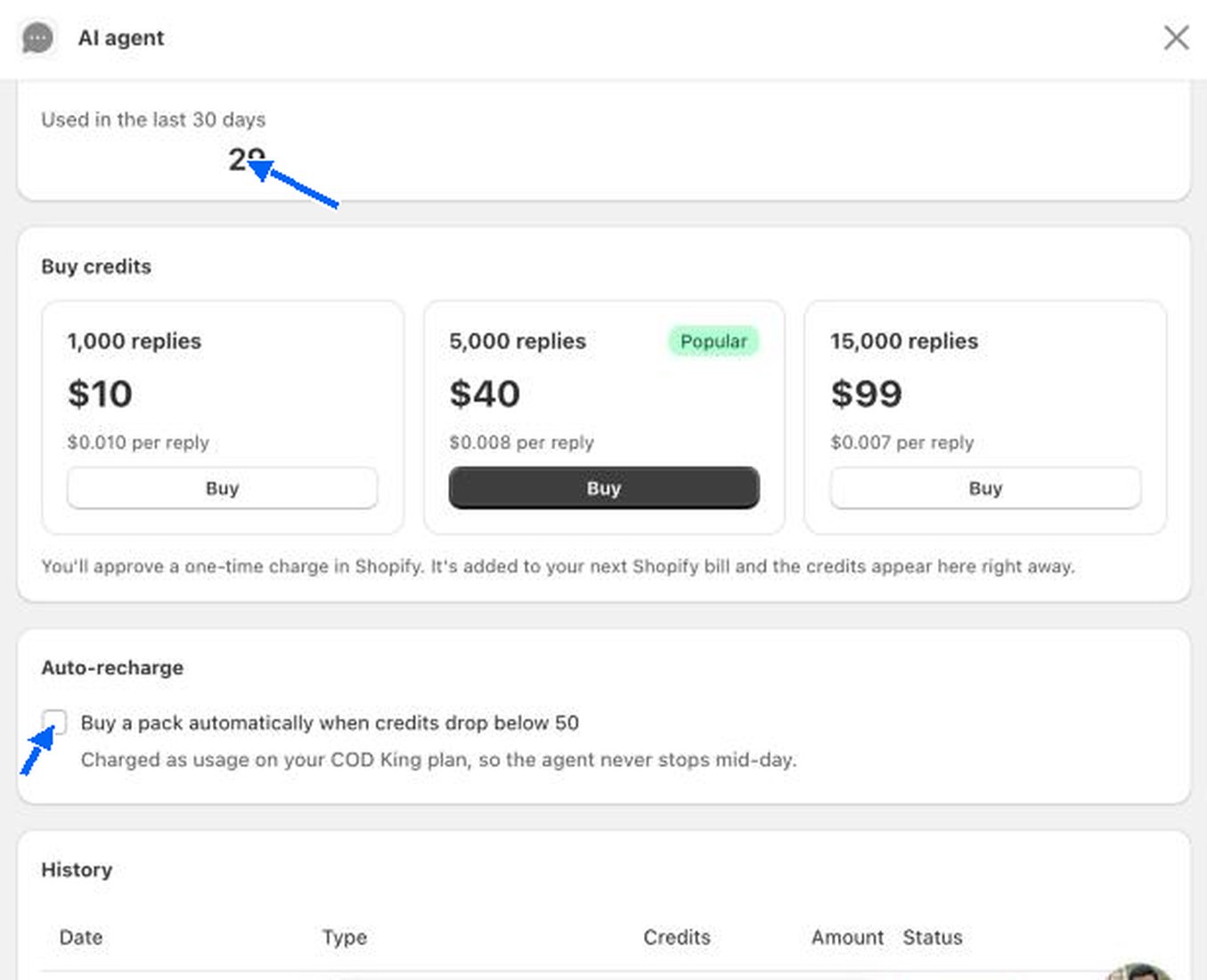
- Used in the last 30 days shows how many credits the AI spent.
- Auto-recharge. Tick Buy a pack automatically when credits drop below 50 so the agent never stops mid-day. It is charged as usage on your COD King plan.
- History lists every purchase with its date, type, credits, amount and status.
Activity
The Activity tab shows what the AI did in the last 7 days.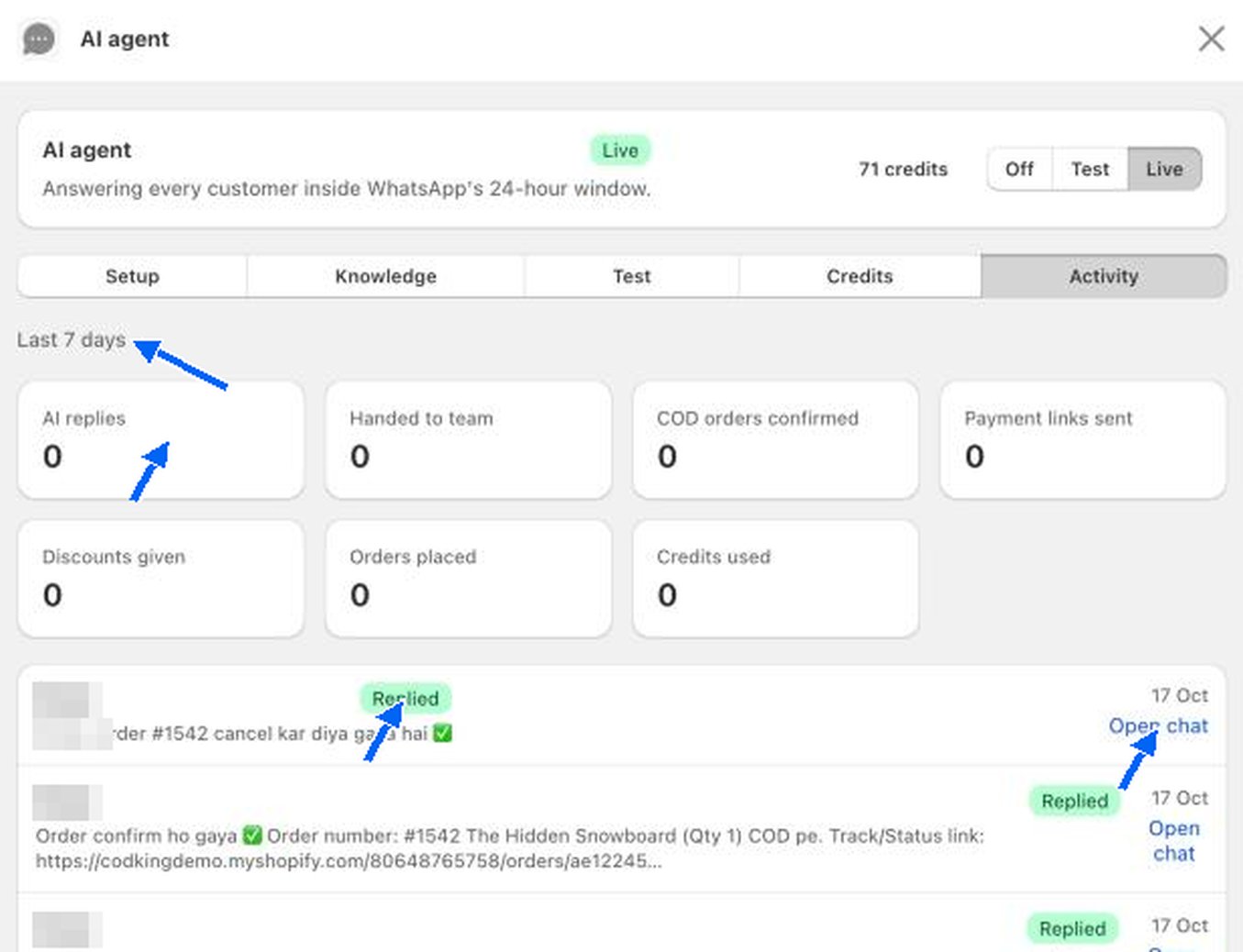
Below the counters is a list of the latest AI messages. Each shows the customer, a Replied tag, the date and an Open chat link that jumps to the conversation in the inbox. Customer names are hidden in the screenshot.
AI agent setup
Choose what the AI answers and when it hands over.
WhatsApp inbox
Read the chats the AI is part of.